
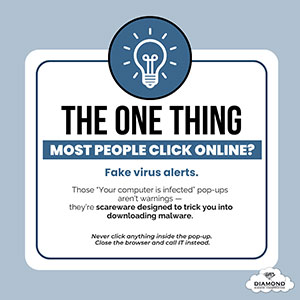
 You’re working at your computer when suddenly—BAM!—a pop-up appears warning that your PC is infected with a virus. It urges you to “click here” to run a scan or install antivirus software.
It looks urgent. It looks official.
But it’s not.
This is a common scareware tactic used by cybercriminals to trick you into downloading malware. These pop-ups often mimic system alerts or Microsoft notifications, making them appear legitimate. But no matter how real they look, never click anything inside the pop-up or webpage.
Why?
Because clicking ANY button — even “Close,” “Cancel,” or the X — can trigger a virus download.
Here’s what you should do:
- Close your entire browser, not the pop-up window itself.
- If that doesn’t work, open your Task Manager and force-quit the browser:
- PC: Hold Ctrl + Alt + Delete
- Mac: Hold Command + Option + Esc
- After closing the browser, contact your IT provider immediately so they can run a legitimate security scan and confirm whether your device was affected.
These pop-ups are designed to scare you into acting quickly, but the safest response is to pause, close the browser, and notify IT.
🔐 Worried about hidden threats or suspicious alerts? Book a free 10-minute discovery call with Diamond Business Communications, and we’ll help you ensure your devices are protected.
💡 Want more practical cybersecurity tips like this?
Stay one step ahead of hackers by signing up for our free Cybersecurity Tip of the Week. Receive expert insights straight to your inbox and safeguard your business, customers, and reputation.
Subscribe here.